


Free tools to automate your Revit tasks.
BIMaestro adds tools to Revit to find families, create openings and track changes to your models.
Plugin preview
The Family Browser, inside Revit.
Explore · Colours
Customise Revit colours.
Adapt the Revit ribbons, the BIMaestro ribbon, the project browser and the Properties palette to your preferences. These screenshots show the result in a real Revit session.
Explore the Colours tool →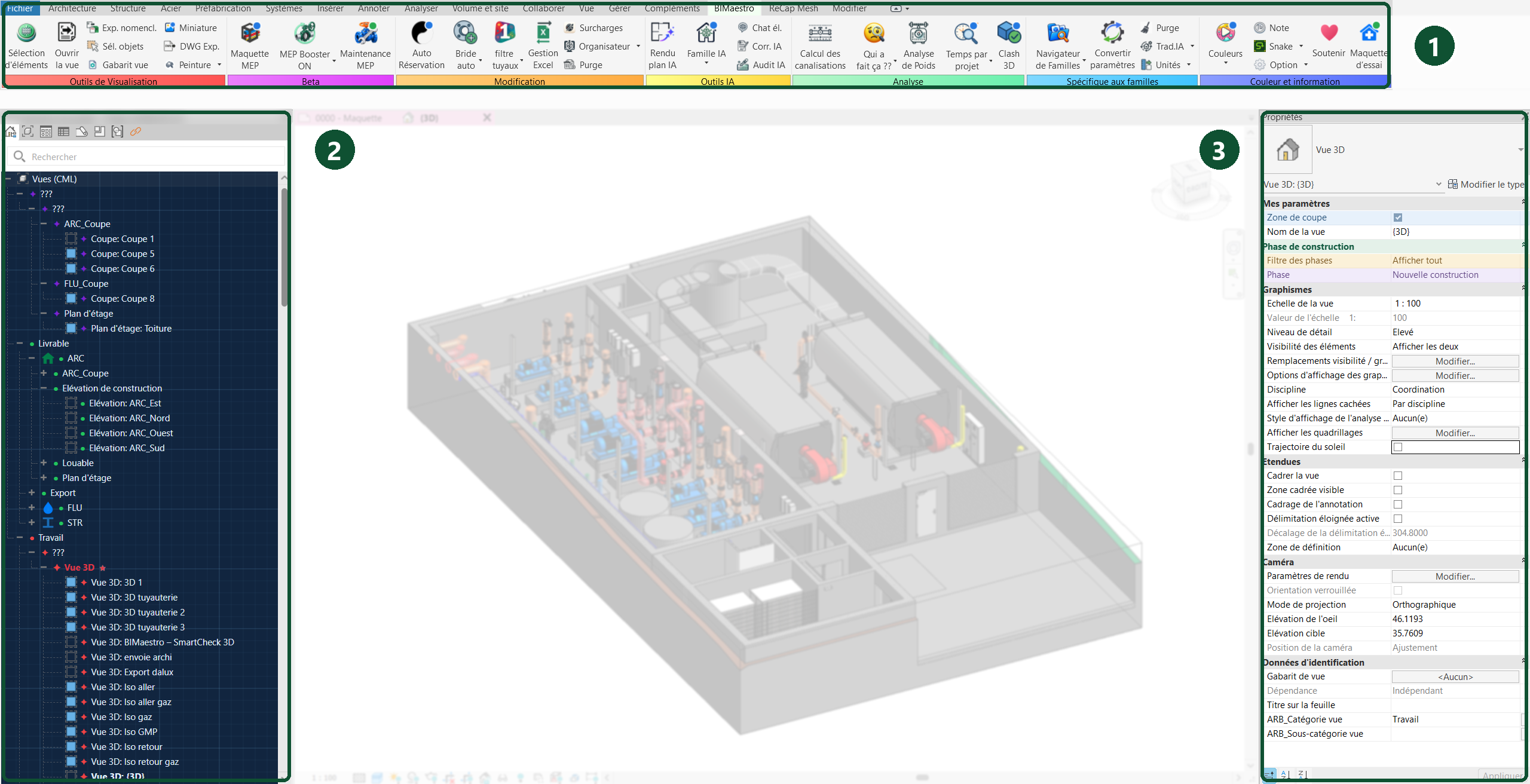
Everyday tasks
What would you like to do in Revit?
Three practical examples. Choose a task to discover the tool in Revit.

Find a family
Search your family library, view 2D and 3D previews and load a family into Revit.

Understand a change
Find recorded changes by user and date, along with an element's last known change.

Create openings
Create openings in walls and floors, including linked models, from multiple selected elements.
BETA ribbon · MEP Booster
Rotate your MEP accessories more easily.
Once enabled, MEP Booster displays a rotation control when you select an accessory or fitting. Hover over an angle to preview rotation, then click to apply it. The command works in plan, section and orthographic 3D views; actions that would move a connected connector are disabled.
The same button also provides access to System Colours, which colours pipes and fittings by system type.
BETA ribbon · MEP Maintenance
Check that a maintenance task is feasible.
MEP Maintenance visualises a task in its surroundings: removing a motor through bends and doors, operating a handwheel, lever or chain with an operator, or removing a filter or actuator. A guided wizard walks you through it, reference points are picked in Revit, dimensions are adjustable and obstacles are identified.
This is a geometric check: the procedure and forces still need to be confirmed.
Beta · Experimental feature
Explore your MEP model.
Move around the 3D view, interact with equipment and visualise flow direction in MEP systems.
Available in the BIMaestro BETA ribbon, using the MEP Model command.
BIMaestro is free, for Revit 2023 to 2027.
Download BIMaestro →